Showing posts with label lion. Show all posts
Showing posts with label lion. Show all posts
Thursday, April 6, 2017
Capture Screen in Mac OS X Lion
Capture Screen in Mac OS X Lion
Hello all, through this article I will share how to take a screen capture on your Mac OS X Lion. There are several ways to performing this task, read them carefully:
- Launch Preview
- From the “File” menu select “Take Screen Shot” you can choose one of three options below:
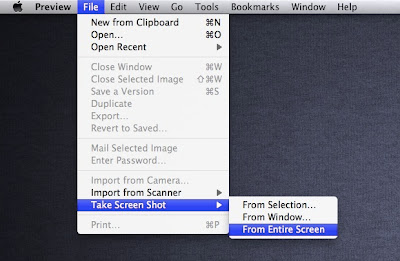
- From Selection – brings up the selection tool
- From Window – capture an active window
Go to link Download

Friday, October 28, 2016
Cisco VPN Client for Mac Lion
Cisco VPN Client for Mac Lion
Did you known that the Cisco VPN client for OS X did not work in Lion. So what causes this problem?
Firstly, let’s talk the difference between Snow Leopard and Lion? Answer: The Kernel (Nucleus). In SL, the kernel is 32-bit mode when it is in Leo with 64-bit... This is the main problem why Cisco VPN Client won’t work in Mac OS X Lion.
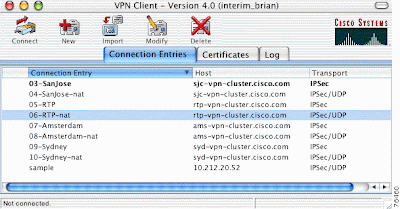
Method 1: Boot your Lion into 32-bit mode.
Just turn on your Mac by holding down "3" and "2" button during startup. The core system will start in 32-bit, allowing you to run the Cisco VPN Client!Read more »
Go to link Download
Subscribe to:
Posts (Atom)