Showing posts with label security. Show all posts
Showing posts with label security. Show all posts
Saturday, March 25, 2017
Cara Menghilangkan Peringatan Windows Security Alert di System Tray
Cara Menghilangkan Peringatan Windows Security Alert di System Tray
A. Untuk menghilangkan peringatan Windows security alert yang sering muncul berupa balloon tips yang berada di system tray pada komputer kalian dapat dilakukan dengan cara sebagai berikut.
Jika kalian dapat melihat icon berwarna merah di system tray, klik dua kali pada icon tersebut, jika tidak ada, buka control panel dan pilih menu security center. Kemudian pada menu Resources klik pada tulisan Change the way security center alerts me sebelah kiri. Hilangkan tanda ceklist pada pilihan peringatan yang ingin kalian tidak inginkan, lalu klik tombol Ok.

B. Remove services dari startup:
1. Buka windows Run (start->run).
2. Masukan "services.msc" (Tanpa Kutip), lalu tekan enter.
3. Carilah Security Center, double klik.
4. Double klik
5. Rubahlah Startup type dari "Automatic" menjadi "Manual" (combo box)
6. Klik Apply lalu OK.
semoga berhasil;
astungkara blog
Go to link Download

Thursday, November 24, 2016
Cara Menghilangkan invalid security certificate
Cara Menghilangkan invalid security certificate
Secure Connection Faileddisdik.padang.go.id uses an invalid security certificate.The certificate is not trusted because it is self signed.
The certificate is only valid for psb.wimasys.com
The certificate expired on 3/29/2008 11:39 AM.(Error code: sec_error_untrusted_issuer)* This could be a problem with the server’s configuration, or it could be someone trying to impersonate the server.* If you have connected to this server successfully in the past, the error may be temporary, and you can try again later.
Hal ini terjadi disebabkan oleh dua kemungkinan yaitu :
- JIka pesan yang muncul adalah “The certificate is not trusted because it is self signed ” berarti sertifikat dari website ini dibuat sendiri bukan dibeli dari lembaga “certificate authority trusted” seperti verisign, comodo, dll.
- JIka pesan yang muncul adalah “The certificate expired on 3/29/2008 11:39 AM.” berarti sertifikat tersebut telah habis masa berlakunya dan harus diperpanjang.
Untuk mengakali agar pesan invalid security certificate ini agar bisa membuka website yang ingin dituju bisa dengan menggunakan cara berikut:
1. Klik link Or you can add an exception… yang berada paling bawah pesan error.

2. Klik tombol Add Exception

3. Klik tombol Get Certificate

4. Klik tombol Confirm Security Exception

4. Setelah tombol Confirm Security Exception, halaman utama website yang dituju akan terbuka seperti biasanya.
- lakukan setting ulang pada bios jam, dan tanggal, buka morzila firefox seperti biasa, niscaya berhasil
regard
astungkara blog
Go to link Download
Sunday, November 20, 2016
Comodo Internet Security 2014
Comodo Internet Security 2014
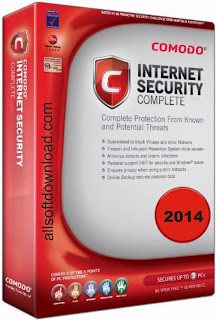 |
| Comodo Internet Security 2014 |
Comodo Internet Security 2014
Comodo Internet Security 2014 claims themselves as the best internet protection compared with the others. So, you dont need to worry about the unsecure protection given by the other anti virus.
This are the best review about Comodo Internet Security 2014
- Safeguards your personal files towards thieves
- Gives total end-point stability regarding Pcs as well as Cpa networks.
- Computer System Mag Onlines Editors Choice
- Obtains towards central as well as additional violence
- Blocks internet access for you to harmful Trojan viruses plans
Comodo Internet Security 2014 Download link
If you want to download the Comodo Internet Security 2014 just hit the download link below nd the software will be yours.
Download
Go to link Download
Subscribe to:
Posts (Atom)