Showing posts with label pixma. Show all posts
Showing posts with label pixma. Show all posts
Wednesday, June 28, 2017
Cara Reset Canon Pixma MP258 error 5B00 atau P07
Cara Reset Canon Pixma MP258 error 5B00 atau P07
Cara Resetter Canon MP258 error 5B00 atau P07
Indikasi awal :
Ketika printer MP258 dinyalakan akan menunjukkan error P07 di LCD panelnya dan dilayar monitor akan muncul error 5B00.
Ini terjadi biasanya sudah masa printer sudah habis atau sudah melampaui batas cetak pemakaian wajar printer namun sebenarnya masih bisa digunakan kembali.
Reset manual atau dalam keadaan safemode dahulu
1. Printer MP258 yang error 5B00 atau P07 dalam keadaan mati dan kabel listrik terpasang.
2. Tekan Tombol STOP/RESET dan tahan, kemudian tekan tombol POWER dan tahan.
3. Tombol POWER masih ditekan, lepas tombol STOP/RESET, kemudian tekan tombol STOP/RESET 2 x dalam keadaan tombol power masih ditekan.
4. Lepas kedua tombol secara bersamaan.
5. Printer MP258 yang error 5B00 atau P07 akan berproses beberapa saat (agak lama), kemudian LCD Panel akan tampil angka 0.
6. Komputer akan mendeteksi DEVICE BARU, Abaikan saja.
7. Keadaan ini menunjukkan printer MP258 dalam keadaan SERVICE MODE dan siap direset.
Langkah reset pakai software :
1. Exctract File Resetter MP258 untuk error 5B00 atau P07, bila belum mempunyai silahkan download disini.
2. Siapkan 2 kertas di printer (ini untuk print pada waktu proses reset)
3. Jalankan program Resetter.

4. Klik "MAIN", maka printer akan berproses, kemudian MP258 akan print satu halaman dengan tulisan " D=000.0 "

5. Klik " EEPROM Clear ".
6. Kemudian klik " EEPROM ", dan printer akan print hasil Resetter MP258. Salah satu barisnya tulisannya sbb:
"TPAGE(TTL=00000 COPY=00000)"

7. Matikan Printer dengan menekan tombol POWER.
8. Dan Printer MP258 yang error 5B00 atau P07 sudah siap digunakan kembali .
Selesai...
Butuh Service Printer di Surabaya?di BAYUIDOCOM saja.
aman dan bergaransi.
Go to link Download

Monday, June 26, 2017
Canon PIXMA PRO 10 Free Download
Canon PIXMA PRO 10 Free Download
 |
| Canon PIXMA PRO-10 |
Canon PIXMA PRO-10 Free Download
Canon PIXMA PRO-10 Free Download~is a printer went for experts and devoted devotees who esteem lovely photographic prints and need to make them themselves. Sending your prints out to a star lab will most likely cost less and provide for you more choices (like substantial prints). At the same time doing it without anyone elses help is significantly all the more fulfilling. It can even deliver better comes about, particularly in case youre utilizing a printer like the Pro-10. At the same time the Pro-10 has acquainted me with another and potentially better approach to print. Ordinances Print Studio Pro introduces as a module for Adobe Photoshop or Lightroom (sorry, hardcore Aperture clients), and works with every one of the three of Canons present Pro-line printers: the Pro-1, Pro-10 and Pro-100. At the point when printing from Lightroom, I need to settle on a few choices (for instance, ICC profile, determination, watermark, print outskirt) inside Lightroom, and a few choices in the standard printer dialog. Some of those choices (for instance, paper size) must be made twice. Print Studio Pro gives me a chance to do everything in one spot. It is full-emphasized and decently outlined.The Canon PIXMA PRO-10 Free Download Particularly on the off chance that you are utilizing Canons own particular incredible papers, Print Studio Pro has one major focal point: Pro Mode shade administration. Accomplished photographic artists realize that keeping up color constancy from reality to Polaroid to machine to paper—is a real specialized issue. You are as of now going to need to stress over white adjust and aligning your showcase; yet utilizing Pro Mode within Print Studio Pro, you can disregard ICC profiles and "rendering aims", at any rate a great deal of the time. Print Studio Pro will dissect your picture particularly for printing to the target Canon printer and paper, then guide the color range for ideal offset of shine, immersion, and shade constancy. I likewise tried the Pro-10s capability to print on printable optical circles. This obliged downloading an alternate application, Canons My Image Garden, and its a bit harder to use than Print Studio Pro. It has some minor inconveniences in the client interface that wont long trouble someone who utilizes the printer customarily. The printed plate was extremely palatabl.
Operating System:
- Windows 7
- Windows 8, 8.1
- Windows XP
- Windows Vista
- Mac Os
- Linux
Demonstrating a trade contraption :
- Open Windows Device Manager.
- In the Device Manager check the contraption youre endeavoring to present is not adequately recorded from past present tries. In the doubtful event that the contraption is uncovered highlight it and void it from Device Manager to keep any mishaps all around the present.
- Precisely when Device Manager looks okay reboot the workstation.
- As the machine is rebooting a put in new supplies wizard should show up if Windows uncovers the new fittings using this wizard you should can display Windows the facilitator holding your drivers either on the CD, diskette, or the envelope holding the records you downloaded.
Suggestion: If you are unpracticed with overhauling Canon gadget drivers physically, we exceptionally propose downloading the Canon PIXMA PRO-10 Driver Utility. This apparatus will download and upgrade the right Canon PIXMA PRO-10 driver forms naturally, ensuring you against introducing the wrong PIXMA PRO-10 drivers.
Canon PIXMA PRO-10 Free Download
Driver
| Driver For Windows 7 | Download Here |
| Driver For Windows 8 | Download Here |
| Driver For Windows 8.1 | Download Here |
| Driver For Windows Vista | Download Here |
| Driver For Windows XP | Download Here |
Go to link Download
Sunday, June 25, 2017
Canon PIXMA MP240 Printer Driver Free Download
Canon PIXMA MP240 Printer Driver Free Download
Canon PIXMA MP240 Printer Driver Free Download
Resetter Canon PIXMA MP240 Printer Driver Free Download - Canon PIXMA MP240 will be High-resolution scans that feature incredible fine detail are possible while using 1200dpi scanner. The Auto Have a look at Mode adds another practical feature because it automatically senses the original that is it being scanned photo as well as document – and then scans and saves using the best option settings. A resolution of up to 4800x1200dpi with tiny ink droplets involving 2pl* gives superb-quality photographs with accurate colour reproduction. It is possible to manufacture a 10x15cm borderless photography in approximately 45 seconds* while using FINE print cartridges.
Two FINE ink cartridges utilized, black and colour. The black will be pigment ink regarding crisp, sharp text message printing, while the colour dye-based inks utilized for graphics in addition to images and allow more glossy photography printing. The ChromaLife100+ system is combining the PIXMA MP240, Canon’s VERY GOOD cartridges and a number of Canon genuine photography paper. These a few unique components generate beautiful, long-lasting photography prints. PictBridge technology makes it possible to enjoy your photography prints direct from a camera (mobile mobile phone, camcorder or virtually any PictBridge compatible device) without necessity to transfer the crooks to a PC 1st.
 |
Canon PIXMA MP240 |
Canon PIXMA MP240 This driver supports intended for :
- Windows 8 (32 or 64bit),
- Windows 8. 1 (32 or 64bit),
- Windows 7 (32 or 64bit),
- Windows Vista (32 or 64bit),
- Macintosh,
- Mac Os Times,
- Linux.
Canon PIXMA MP240 Printer Driver Free Download
Download For Windows
Driver | Download | ||
Windows XP, Windows Vista, Windows 7 | Download Here | ||
Windows 8.1, Windows 8 | Download Here | ||
Download For Mac OS
Driver | Download | ||
Mac OS Mavericks, Mountain Lion Mac OS Lion Mac OS Snow Leopard | Download Here Download Here Download Here | ||
Download For Linux
Driver | Download | ||
Linux Debian | Download Here | ||
You can install with:
- Available the driver file that you have downloaded,
- Click on the file twice ,
- Click next and select a language ,
- Follow the instructions given ,
- Completed
You can uninstall with:
- Click Start after which it select Control Cell and uninstall applications Invert Selection,
- Follow the instructions contained in the display,
- Wait a minute ,
- Uninstall the driver finishes in
Canon PIXMA MP240 Printer Driver Free Download
Go to link Download
Saturday, June 24, 2017
Canon PIXMA MG6220 Software Download
Canon PIXMA MG6220 Software Download
Canon PIXMA MG6220 Software Download
 |
| Canon PIXMA MG6220 |
Canon PIXMA MG6220 Software Download - Your beautiful Canon PIXMA MG6220 Wifi Inkjet Photo All-In-One produces superior quality, usefulness, and ease of use. As with virtually any inkjet printer, it may serve dual duty for home and home business office, but the concentrate is on photos. The front section offers both Image Copy and Advanced Photo copy options and also a standard Copy get, and theres also a solution to print photos directly from the web, with choices with regard to Canon Image Entrance and Picasa World-wide-web Albums. The PIXMA MG6220 is much closer to the top end. In addition towards the photo copy and Web-photo printing capabilities, the higher price will cover such niceties for Ethernet connector together with WiFi support, the ability to print on optical backbone, and paper handling that has automatic duplexing (printing about both sides of an page) and a couple 150-sheet paper trays.
Your Canon PIXMA MG6220 images, scans, and copies, and it allows you to scan to some sort of USB memory key or perhaps a memory card. However, it doesn’t fax, and it also lacks an automated document feeder (ADF) or another approach to scan anything larger than letter-size paper. View beautiful, easy-to-view verification by advanced picture analysis and area-by-area information correction, automatically. Plus, you can print and scan jpeg and pdf files wirelessly coming from compatible iPad, apple iphone, iPod touch, and Android devices. For a genuine interactive imaging experience, Canons Intelligent Effect System transforms the very best of your printer into a sleek, responsive touch section so only the buttons youll need light up.
Canon PIXMA MG6220 That driver supports for :
- Windows 8 (32bit, 64bit)
- windows 8. 1 (32bit, 64bit)
- windows 7 (32bit, 64bit)
- windows Vista (32bit, 64bit)
- Macintosh
- Mac Os Times
- Linux.
Canon PIXMA MG6220 Software Download
How to install the printer driver :
- Open the driver file that you downloaded it
- Then double click on the file
- Then choose the language you want
- Then you can follow the instructions given
- completed
How to unistal the printer driver :
- Click on the start menu, then click control panel and select the program unistal
- Next follow the directions and steps which appear.
- Wait a while
- Then the printer driver will be ready to be deleted
Driver Download For Windows :
Driver | Download | |
Windows XP, Windows Vista | Download Here | |
Windows 8.1, Windows 8, Windows 7 | Download Here | |
Driver Download For Mac OS :
Driver | Download | |
Mac OS | Download Here | |
Driver Download For Linux :
Driver | Download | |
Linux | Download Here | |
Canon PIXMA MG6220 Software Download
Go to link Download
Friday, June 23, 2017
Canon Pixma MG7170 Driver Free Download
Canon Pixma MG7170 Driver Free Download
 |
| Canon Pixma MG7170 Driver |
Canon Pixma MG7170 Driver Free Download
Canon Pixma MG7170 Driver Free Download- To download Canon PIXMA Mg7170 Inkjet printer driver we need to live on the Canon site to choose the genuine driver suitable for the working framework that you utilization.On the other hand, scanning driver for Canon Pixma MG7170 Driver Free Download Inkjet printers on Canon site is muddled, on the grounds that have so army sorts of Canon drivers for in abundance distinctive sorts of items: printers, Polaroids, fax machines, scanners
Operating System:
- Windows 7
- Windows 8, 8.1
- Windows XP
- Windows Vista
- Mac Os
- Linux
Demonstrating a trade contraption :
- Open Windows Device Manager.
- In the Device Manager check the contraption youre endeavoring to present is not adequately recorded from past present tries. In the doubtful event that the contraption is uncovered highlight it and void it from Device Manager to keep any mishaps all around the present.
- Precisely when Device Manager looks okay reboot the workstation.
- As the machine is rebooting a put in new supplies wizard should show up if Windows uncovers the new fittings using this wizard you should can display Windows the facilitator holding your drivers either on the CD, diskette, or the envelope holding the records you downloaded.
Suggestion: If you are unpracticed with overhauling Canon gadget drivers physically, we exceptionally propose downloading the Canon PIXMA MG7170 (MG Series) Driver Utility. This apparatus will download and upgrade the right Canon PIXMA MG7170 (MG Series) driver forms naturally, ensuring you against introducing the wrong PIXMA MG7170 drivers.
Canon Pixma MG7170 Driver Free Download
| For Driver | Download |
| For Windows 8, 8.1 | Download |
| For Windows 7, Windows XP, Windows Vista | Download |
| | |
| For Mac OS | Download |
| For Linux | Download |
Go to link Download
Thursday, June 22, 2017
Canon PIXMA MG3260 Driver
Canon PIXMA MG3260 Driver

Equipment User interface: HARDWARE two. 0 - Cellular LAN Prepared: Indeed Sizing information: - Packed Pounds (kg): 6. 8 - Document Pounds gsm Basic Document: 64-105g/m². Cannon specialty record (max archive weight): around 300g/m² (PT-101) - Item Sizing Info: 449 (W) by 304 (D) by 152 (H) mm Performance information: - Borderless Publishing: Indeed Common information: - Suitable Cartridges: CL-641, CL-641xl, PG-640, PG-640xl, PG-640xxl - Suitable Document: A4, Notice, Lawful, A5, B5, Envelopes (DL, Com10), 4"x6", 5"x7", 8"x10" -
Duplicate Pace: Color record: Around 20 securities and trade commissions - Web page Deliver Borderless 4"x6" picture: Pg640 (2465), Cl641 (69), Pg640xl (5235), Cl641xl (150), Pg640xxl (7560) or Basic report A4: Pg640 (180), Cl641 (180), Pg640xl (400), Cl641xl (400), Pg640xxl (600) - Document Holder Capability: 100 cloths -
Printing Pace: B&w: 9. two ipm Color: 5. 0 ipm 4"x6" picture: Around. forty-four minor seconds. - Inkjet printer Quality: 4800 by 1200 dpi - Check out Color Level: Greyscale: 16bit or 8bit, Color: 48bit or 24bit (RGB each 16bit or 8bit) - Check out Quality: 1200 by 2400 optical dpi - Check out Kind: Flatbed Operating-framework information: - Operating-framework: Earn: Or windows 7 Sp3 (32 bit) or Landscape Sp1 and in addition Sp2 or 7 and 7 Sp1); Macintosh: Macintosh OSX v10. 5. 8 or v10. 6 or v10. 7 Energy information: - Energy Usage: 20w - Energy Usage Uphold: two. 0w - Energy Supply: AIR CONDITIONING 100-240v, 50/60hz Screen/Display information: - Show Kind: BROUGHT - Touch screen: Absolutely no
Canon PIXMA MG3260 Driver Download Links
Category | Download link |
Drivers for Windows 8 64bit | |
Drivers for Windows 7 64bit | |
Drivers for Windows Vista 64bit | |
Drivers for Windows XP 64bit |
Canon PIXMA MG3260 Driver for Windows 32Bit
Category | Download link |
Drivers for Windows 8 32bit | |
Drivers for Windows 7 32bit | |
Drivers for Windows Vista 32bit | |
Drivers for Windows XP 32bit |
Canon PIXMA MG3260 Driver for Linux
Category | Download link |
Canon PIXMA MG3260 Driver Linux |
Canon PIXMA MG3260 Driver for Macintosh (MAC)
Category | Download link |
Drivers for OS X 10.9, OS X 10.8 | |
Drivers for Mac OS X 10.7, Mac OS X 10.6, Mac OS X 10.6 |
Go to link Download
Canon PIXMA MG3040 Driver Download
Canon PIXMA MG3040 Driver Download
Canon PIXMA MG3040 Driver Download
Printer Reviews– Canon PIXMA MG3040 Driver Download is the keeping nothing down One shade printer, sifting contraption and copier with Wi-Fi affiliation and cloud highlights – sensible for home customers who may need the versatility to print of their tablet, phone, compact PC, or camera.So in this post, I will share about Canon PIXMA MG3040 Driver Download support for Windows 10, Windows XP, Windows Vista, Windows 7, Windows 8, Windows 8.1, Mac Os X or LinuxFavorable circumstances
- Copy, take a gander at and print out with a sensible Wi-Fi All-In-One
- Connect to your tablet or PDA with the Canon Printing application
- Print out from your most cherished cloud organizations
- This Print more pages for your cash with XL printer structure ink decisions this
- Get your mind innovative with Easy-PhotoPrint+
- This Detailed on Features
Straightforward home printing, reproducing and separating
Enter a radio wonderland with the PIXMA MG3040, a versatile All-In-One for printing, looking at and duplicating records quickly and. Worked for your Canon printing needs, from substance generous files to full shading photographs and this Wi-Fi-enabled this multifunction structure printer is housed in a brief, work territory altruistic this design.
Printing from your wireless, tablet, or camera
Support for Google Cloud Print and the Canon PRINT programming for iOS and Android This give printing from task phones and You could print remotely from your WLAN PictBridge-great camera in like manner, while Access Point Mode infers versatile customers can append to the structure this printer even without a system this Wi-Fi framework from future.
Cloud and adaptable printing
Using PIXMA Cloud Website join, came to through the Canon Print out application, now you can print out from common social this framework and the cloud organizations including structure Social media
Cut the sticker cost of printing
The PIXMA MG3040 wont cost the planet earth to run. Utilize the optional high-restrain Canon XL printer ink cartridges and you will save around 30% for every site page conversely with their Canon reciprocals.
This Get inventive
Easily to deal with and this print your photographs with the My Image Garden system application, while Easy-PhotoPrint+ enables you to arrange and print out brilliant cards, picture plans notwithstanding extensively all the more, using pictures from your tablet, Personal PC or most cherished cloud organization.
Superb print out quality
Sharp words and awesome pictures. Using vivacious shading and shade faint inks, the PIXMA MG3040s FINE cartridge structure gives clean report word and first rate pictures in both shading and mono.
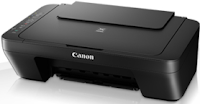
Canon PIXMA MG3040 Driver Download
System Requirements
- Windows 8.1 32-bit
- Windows 8.1 64-bit
- Windows 8 32-bit
- Windows 8 64-bit
- Windows 7 32-bit
- Windows 7 64-bit
- Windows Vista 32-bit
- Windows Vista 64-bit
- Windows XP 32-bit
- Windows XP 64-bit
- Windows 2000
Reset manual Printers
- Turn off the Printers.
- Press and Hold the catch Resume/Cancel then squeeze POWER catch.
- Discharge the Resume/Cancel catch while keeping POWER catch on a press.
- Press Resume/Cancel 2 times and after that discharge every one of the catches.
- At the point when the pointer recorded GREEN - snap Resume/Cancel 4 times!
- Turn off the Printers.
Install Printer Drivers
- Enter the printer driver CD into the CD-ROOM or in the event that it doesnt need to download a connected CD Driver downloads are given in the article underneath.
- Go to the Device Manager (Explorer - > right snap Computer - > Manage - > Device Manage)
- Select the gadget Printers, right-tap the File Setup - > Update Driver Software
- Select the second driver pursuit; Browser my PC for driver programming
- The program driver pursuit areas indicate by selecting the CD-ROOM which as of now contains a CD or downloaded record in the connection underneath and after that snap Next
- In the event that the record is discovered, it will show a depiction and area. As a matter of course generally chose the fitting document. Provided that this is true, please click Next to proceed.
- One minute to look the driver, if effective it will be informed; Windows has effectively upgraded your driver programming
- finished
Canon PIXMA MG3040 Driver Download for Windows:
Driver and Utilities Package for Windows 10/9/8/7/Vista/XP (32bit or 64 bit )
Download
Canon PIXMA MG3040 Driver Download for Mac Os X:
Driver and Utilities Package for Mac Os X( 10.11/10.9/10.8/10.7/10.6 )
Download
Canon PIXMA MG3040 Driver Download for Linux Os:
Utilities Driver Download
ESC/P-R Driver Download
PC-FAX Driver Download
If You Have Trouble With Link Download Place Cek Here
Contact Us
Download Link
Go to link Download
Subscribe to:
Posts (Atom)